How to Install Instagram?
Learn how to install Instagram on Android and iPhone?
Here are some easy steps to download Instagram for your mobile phones.
- For android sign in to Google Play (if you are using iOS, go to the App Store).

2. In the top bar of the app, search for Instagram and Instagram app will be displayed in the search results for you.

3. In the next step, tap on Install button, and Instagram application will be installed on your mobile phone.

4. Now go to your mobile home screen and find the Instagram logo and tap on it .
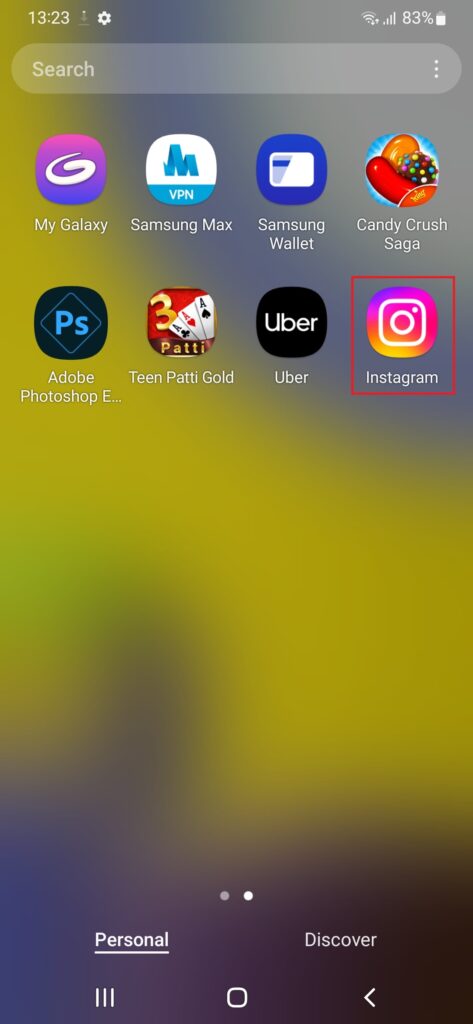
Learn how to install Instagram on Windows?
There are two ways to use Instagram on windows:
- Install Instagram app.
- Use Web Instagram.
If you desire to install Instagram app follow the given steps:
- Sign in to any app store that you have(Here, we are showing for Microsoft Store).
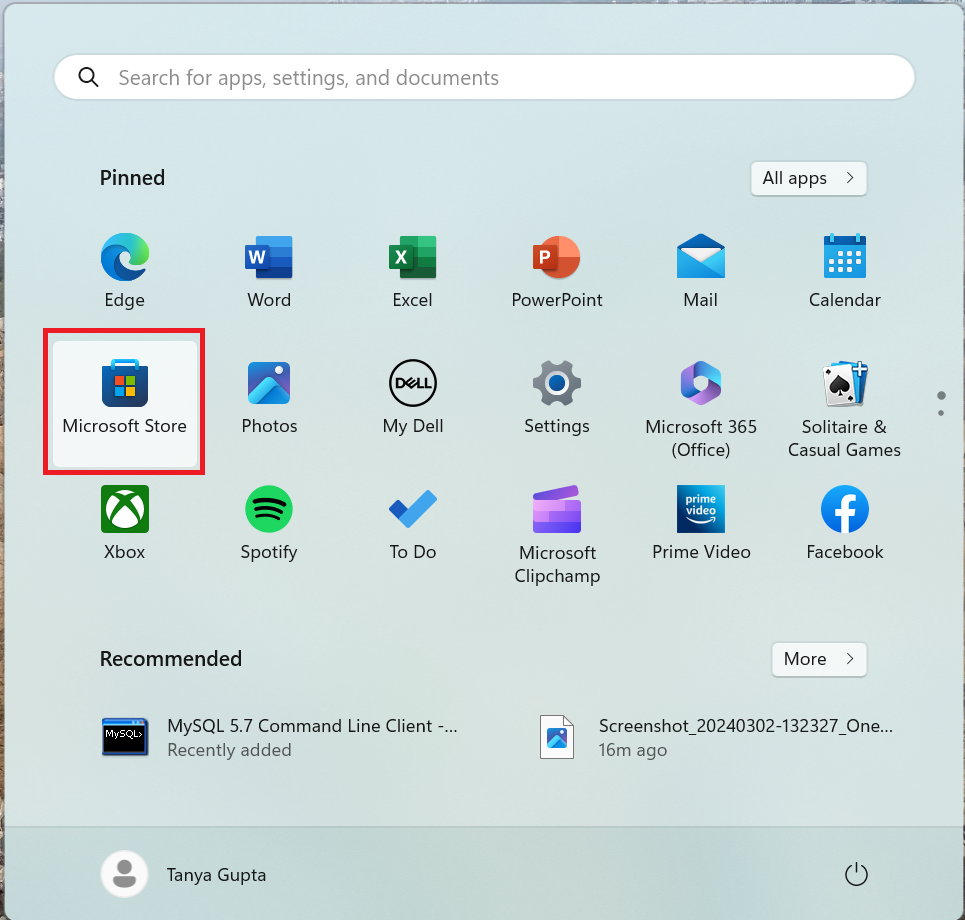
2. In the top bar of the app, search for Instagram and Instagram app will be displayed in the search results for you.

3. In the next step, tap on Install button and Instagram application will be installed on your Windows.

4. Now go to your Windows start button and find the Instagram app in all apps and tap on it.
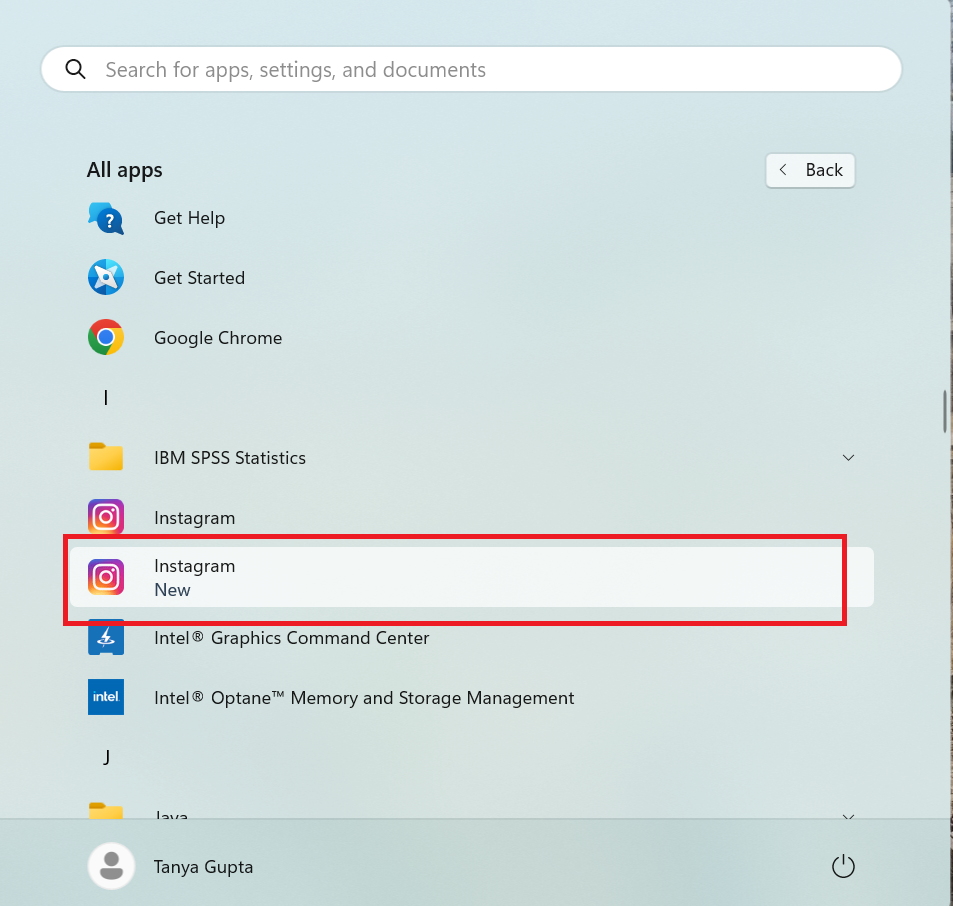
Getting Started
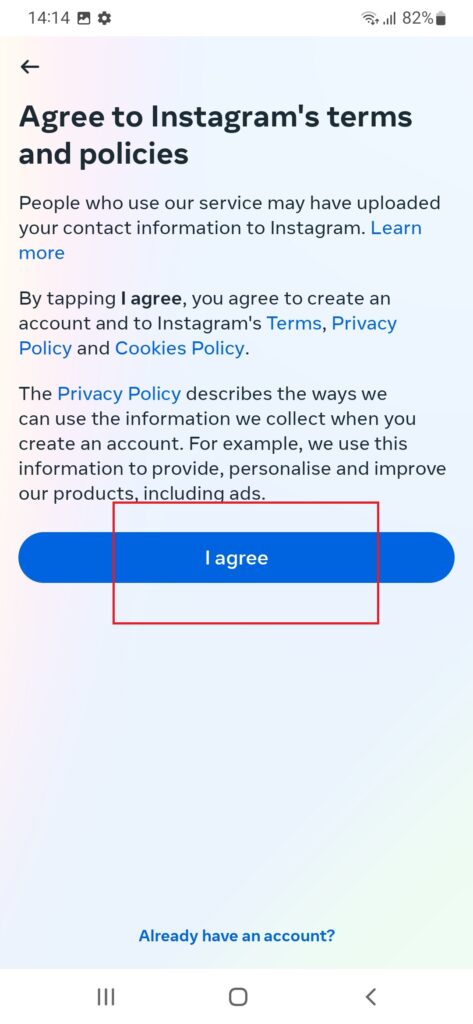
- After successful installation of Instagram app tap on Instagram icon, at first you have to agree to terms and privacy policy.

2. Now , tap on create new account if you are new user and if you already have account log in by adding username and password.
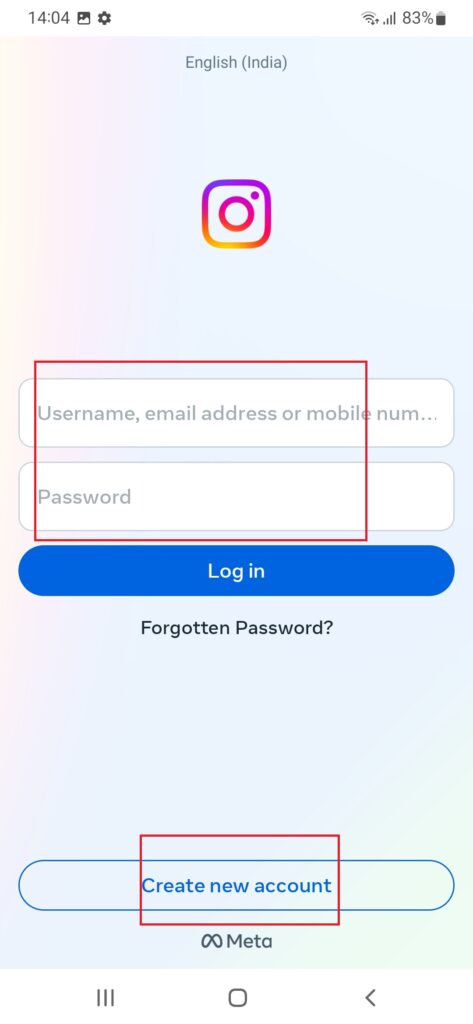
3. Enter mobile number or email address through which you want to create new account, and tap on next. ( Note, your mobile number won’t be visible on your profile.)
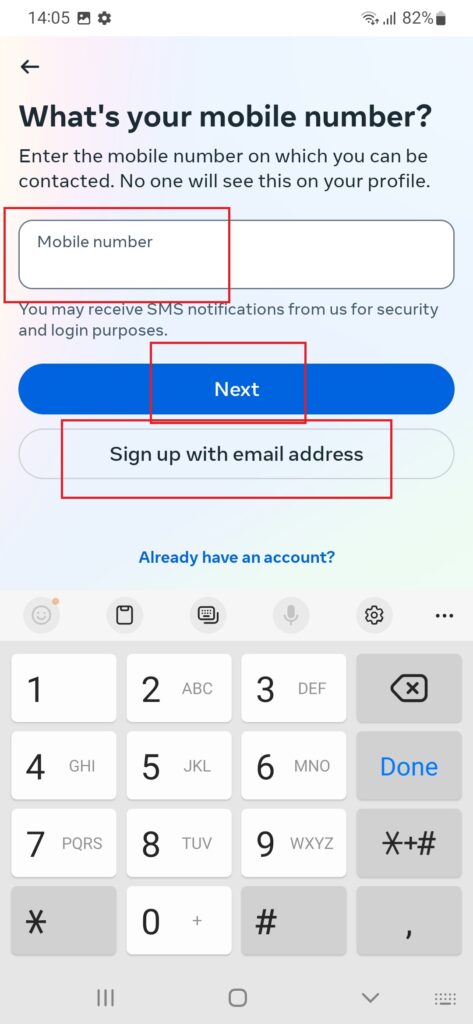
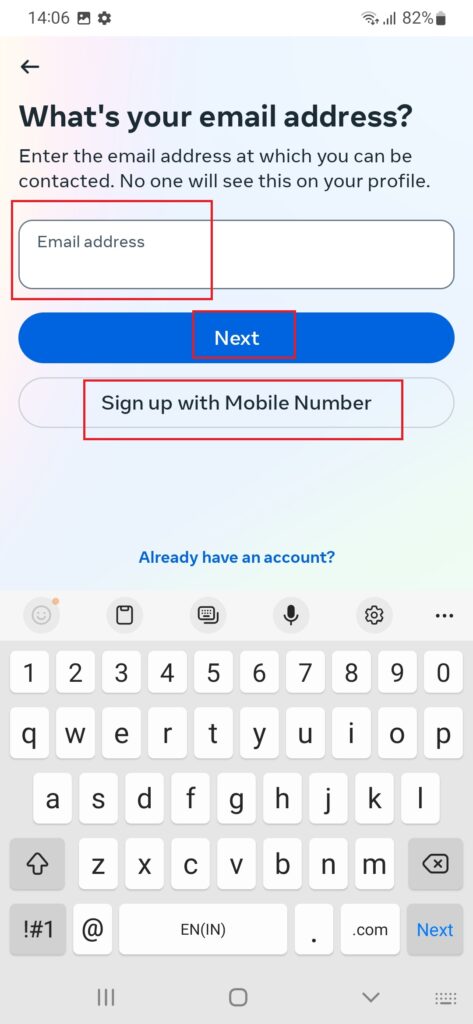
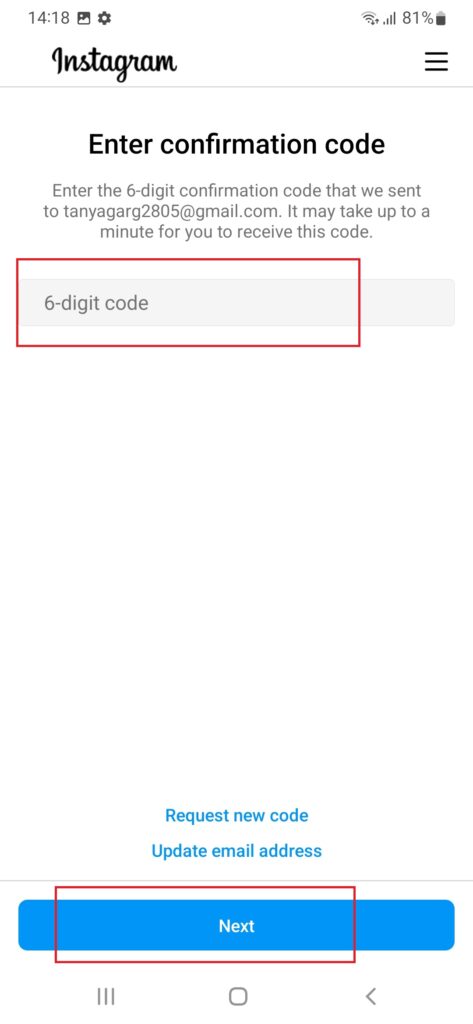
4. Enter the 6-digit confirmation code and create password for your account.
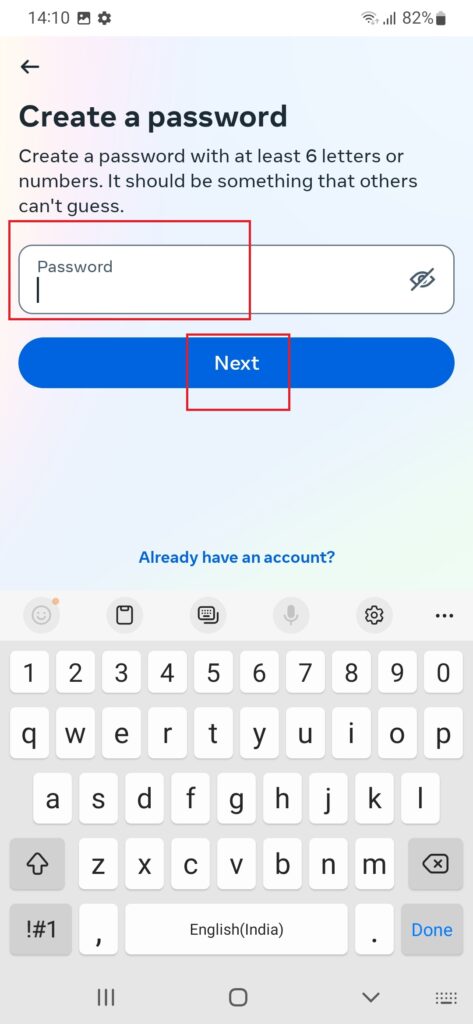
5. Add some basic details such as Date of Birth, your name , create your username tap on next and agree to terms and conditions.
6. Now verify your email and mobile no. and you are ready to go.

Features
Instagram is a social media where you can get in touch with your friends, family, celebrities and make a new friends. It provide you with a lot of features some of them are:
- You can start a conversation using messenger(Send photos, videos, and messages privately to friends).
- Share stories (Post moments from your everyday life in your Stories. These only last 24 hours).
- Flaunt your creativity with reels (Easily create entertaining videos to share with friends or anyone on Instagram).
- Shop what you love(Browse the latest trends from your favorite brands and creators).
- Discover more (Discover content and creators based on your interests).
- Go live (share your live moments with your friends).
- Make call (Video or Audio to your friends).
- Use multiple accounts at one go (Can create multiple accounts with same contact no. and email but with unique usernames).
Help?
If you have any query feel free to contact us :
Customer care contact : xxxxx-xxxxx
You can also mail us at : xxx@xxxxx.com
Leave a Reply